OpVitae is a case log for surgeons, with your CME, licenses and credentials beside it. Log a case from a photo of the patient sticker, see every deadline coming, and have the file ready when a board or a hospital asks.
For iPhone, iOS 27 or later. The beta opens to a small group of surgeons first.
From sticker to record in three steps.
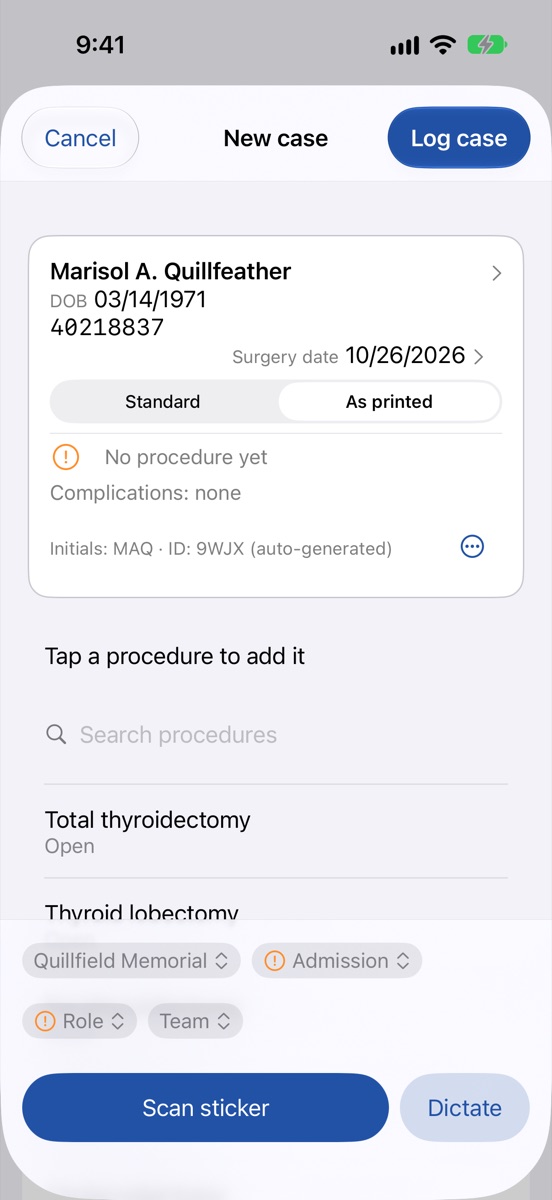
Capture
Photograph the patient sticker, dictate, or type. The sticker is read on your iPhone with Apple's on-device text recognition, and the photo isn't saved. When a hospital's sticker is new to it, you show OpVitae once where each field sits.
Check
Everything it reads is shown to you before it's saved. Reading can be wrong, so you confirm every field. A case always saves by hand, too.
Keep
Tap the procedure from your own most-used list, pick your role, and log it. Cases build into a record you can search, count and export for as long as you operate.
QUILLFEATHER, MARISOL A
MRN 40218837
DOB 03/14/1971
QUILLFIELD MEMORIAL
Read on your iPhone. The photo isn't saved.
From the sticker
Patient
Marisol A. Quillfeather
Facility
Quillfield Memorial
Added by you
Procedure
Thyroid lobectomy, open, left
Role
Primary surgeon
Check, then log case
A patient sticker is read on your iPhone, and what it finds is shown for you to check before anything is saved. Illustration with a made-up patient.
Everything a surgeon's record has to hold.
Scan the sticker. Tap the procedure. Logged.
The one thing you can't reconstruct later is what you did and in what role, so that is all a case asks of you at the scrub sink. The rest can wait until you have a minute.
Your own procedure list, most-used first. No code lookups.
Primary surgeon, co-surgeon or first assist, and the team with you.
Complications marked on the case they belong to. A count, never a rate.
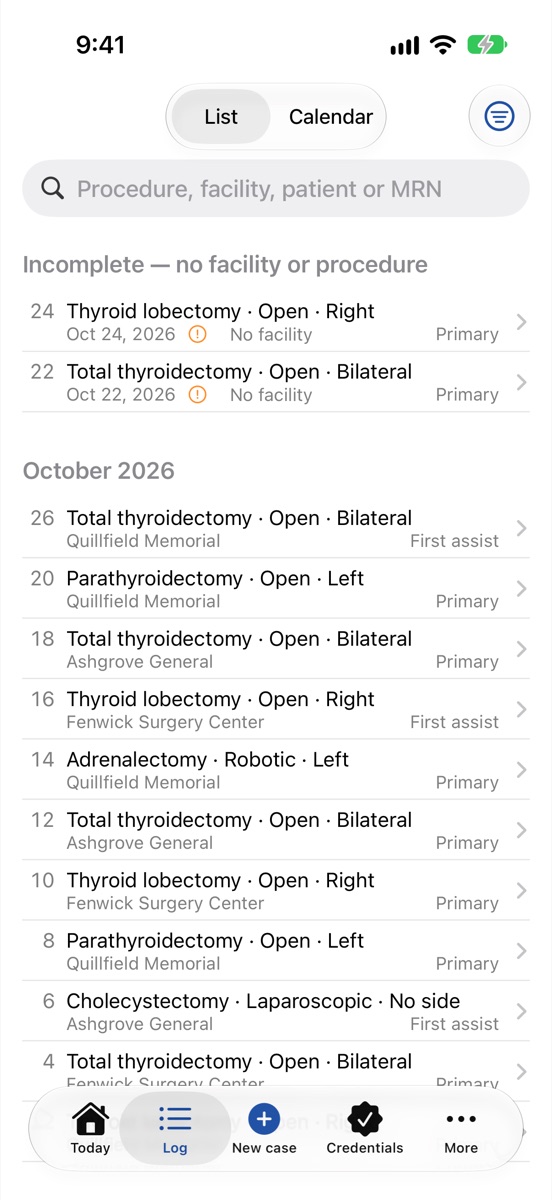
Your whole operative log, searchable.
Every case you've logged, by month, from residency onward. Search it and filter it, and see at a glance which cases still need a detail filled in.
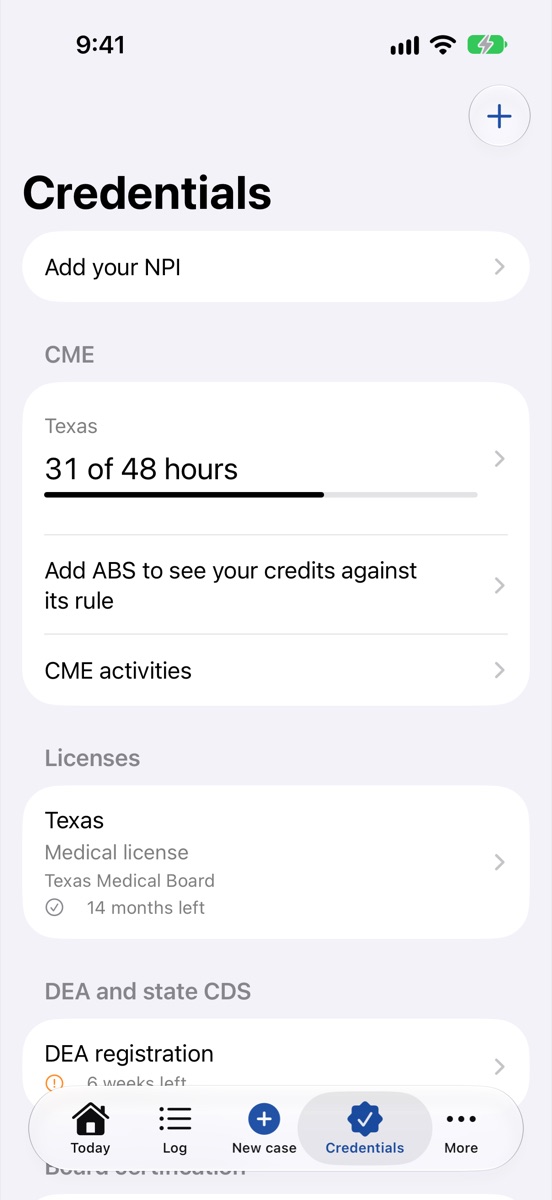
See what's due before it lapses.
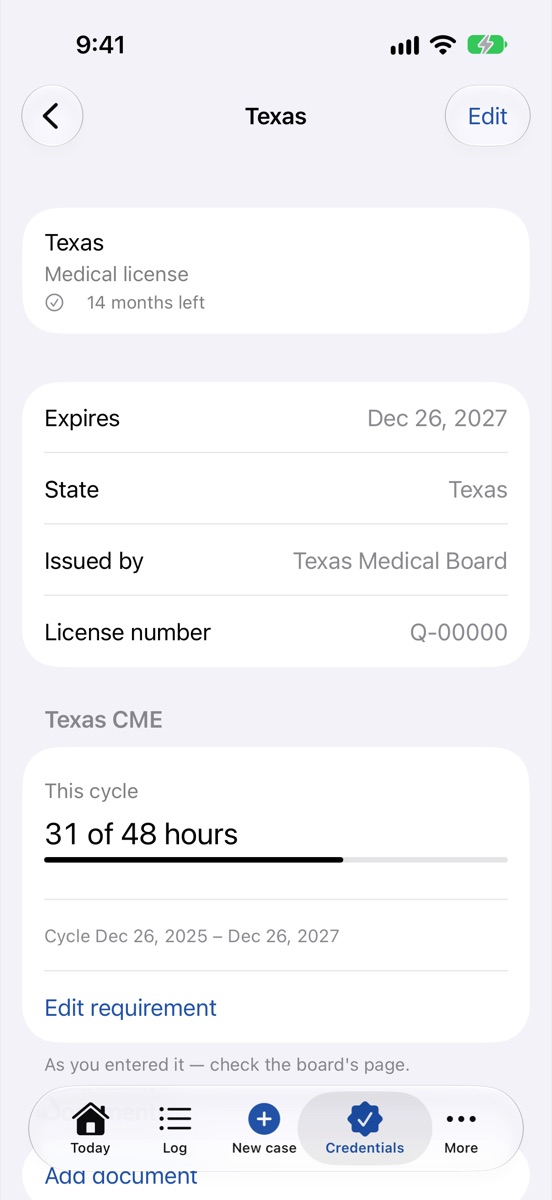
Licenses, DEA and state controlled-substance registrations, board certification, life-support courses, hospital privileges and reappointments, malpractice, CAQH, FCVS, payer enrollment and memberships, each with the time it has left.
Reminders 90, 30, 7 and 1 days before each expiry.
Your license and registration numbers, encrypted on your iPhone.
Certificates and documents kept with the credential they belong to.
CME counted against each license's rule.
Add an activity once and it counts toward everything it applies to: the American Board of Surgery's Continuous Certification rule, built in, and each state license's requirement as you enter it, with its hours, categories and required topics. Scan the certificate and keep it with the activity.
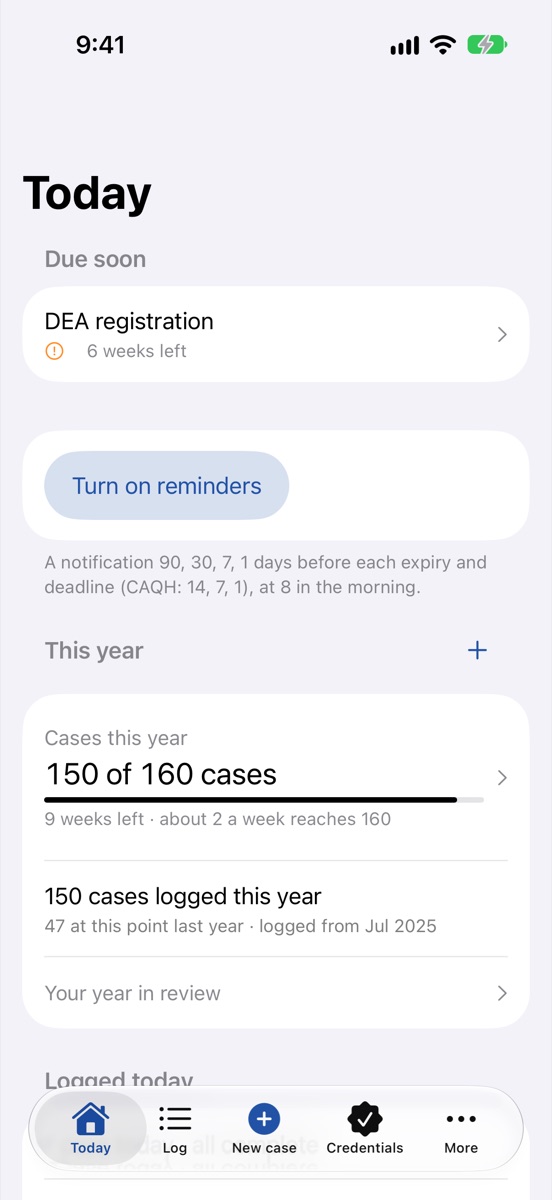
Your year, in numbers you can use.
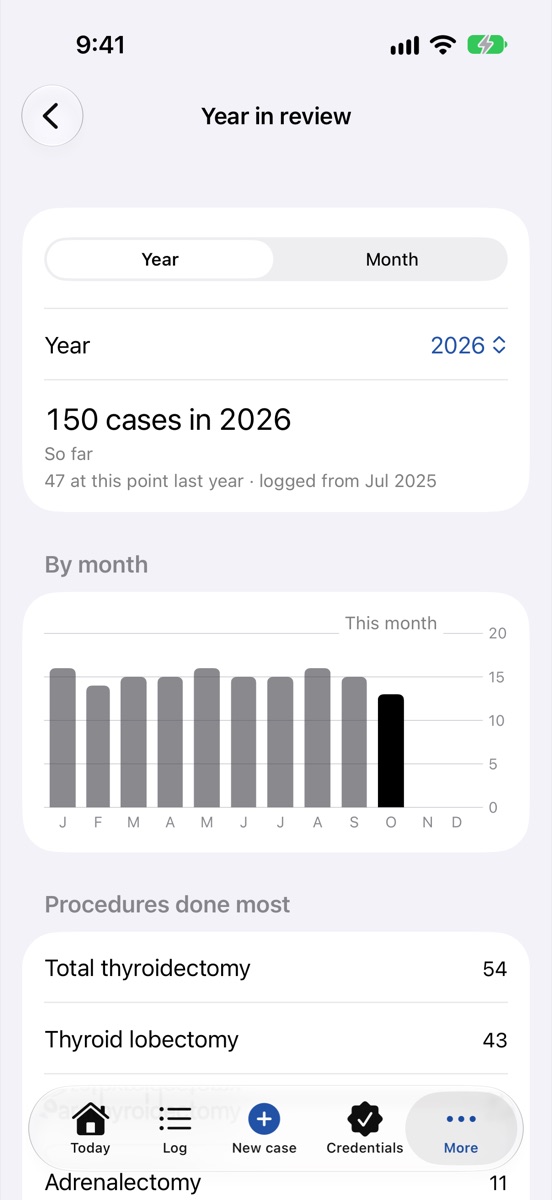
Set goals for the cases you want to do this year and see your pace. Compare this year with the same point last year. Open a year or a month in review whenever you like, and keep your goals on your Home Screen and Lock Screen.
It counts your work. It never grades it, and it never compares you with anyone else.
The file, ready when someone asks for it.
FACS case list
For the American College of Surgeons Fellowship application: the 12 months before the date you submit, as a spreadsheet and a PDF. Mark it submitted, and OpVitae keeps exactly what it held.
Credentialing packet
Your credentials, career and CME in one PDF, for a new hospital, a group or a payer.
Career history
Your training and work history, in order, with every gap shown, for the applications that ask for it.
Export everything
All your records in one file: a spreadsheet for each kind, your documents as PDFs, and the complete data. Yours to keep, at any time, subscribed or not.
Board files and the credentialing packet never carry patient names, dates of birth or record numbers. Export everything includes them only if you switch that on for the export yourself. Every file leaves your iPhone only when you share it.
Your patients' details stay on your iPhone.
There is no account and no sign-in. Nothing about your patients is ever sent to us, and OpVitae has no analytics, advertising or tracking.
The case log lives on your iPhoneCases, patients and facilities are stored only on your iPhone. They are never in iCloud, never in iCloud Backup, and never on a server of ours. OpVitae doesn't connect to one.
Encrypted where it mattersPatient names, dates of birth and record numbers are encrypted on your iPhone, and so are your credential numbers and documents. The rest is protected by iOS data protection, and Face ID or your passcode is always needed to open the app.
Your own records follow youYour profile, credentials, CME and career history are kept in your own private iCloud, so they reach your other devices and come back on a new iPhone signed in to the same account. A twelve-word recovery phrase can rebuild the keys that unlock them.
A copy of the log is your jobBecause the case log is only on your iPhone, losing the phone loses the log unless you've kept a copy. OpVitae reminds you every 30 days to Export everything.
It counts your work. It doesn't grade it.
It tracks and reminds. It doesn't file for you.
It keeps records. It isn't a medical device.
Start free. Subscribe when it's earned its place.
First
Try it on real work
Your first 10 cases and 2 credentials are free, with every feature open and no payment details.
Then
Two weeks free
Apple's free trial gives you two weeks of full use before your first payment.
After that
One plan
Monthly or annual, everything included. Pricing will be announced at launch.
If you ever stop, nothing is deleted. Everything stays on your iPhone, readable, and Export everything keeps working. Board files, the credentialing packet, career history, reviews and reminders stop straight away, and adding or editing cases and credentials stops a week later. Subscribe again and it all comes back at once.
Questions surgeons ask.
Which phones does it run on?
iPhone, on iOS 27 or later. There is no Android or web version.
Does it connect to my hospital's EHR?
No. It works from a photo you take, or from what you type or dictate. Nothing is pulled from or sent to your hospital's systems.
Is my case log backed up?
Not by iCloud, on purpose: patient details don't belong there. Export everything gives you a complete copy to keep where you choose, and OpVitae reminds you every 30 days.
Does it know my board's rules?
The American Board of Surgery's Continuous Certification CME rule and the ACS Fellowship case list are built in. For your state license, you enter the requirement from your board's page, and OpVitae counts toward it.
Will it tell me I've met a requirement?
No. It shows your count against the rule and reminds you of deadlines. Boards set and change their own rules, so confirm with them before you submit.
Who makes it?
Emivy Studio, LLC, a small independent software company. OpVitae is designed by a practicing surgeon.
Join the beta.
Tell us your specialty and which iPhone you use. We'll write back with an invitation to the TestFlight beta as places open.
 OpVitae